The local-first paradigm (also known as "lofi") is gaining traction as a way to build apps that prioritize user privacy, offline functionality, and responsiveness by keeping data and computation on the user's device, only syncing with the cloud when necessary. It's a really interesting shift away from the traditional cloud-centric model.
I wanted to experiment with it using newer web platform features and architectures such as on-device AI (with transformers.js), View Transitions, and the constraints that come with a real PWA (offline support, installability, workarounds to make the visual viewport resize correctly across different browsers) to build a native-like experience using only web technologies.
To keep it grounded, I picked a simple, common project: a note-taking app. That decision shaped everything — it forced the UX to stay familiar with instant writes and reliable offline support, and it gave the AI features a clear job: improve retrieval while keeping notes on the device by default.
That project became Mnemos.
The constraint I set for myself was simple: notes stay on the device by default, and AI features run locally when possible, prioritizing privacy. There is an explicit opt-in to use server-side AI, but the app works fully offline with local models.
This post walks through how the on-device models work, why local inference is a good fit for this problem, and how the implementation holds up under normal browser constraints.
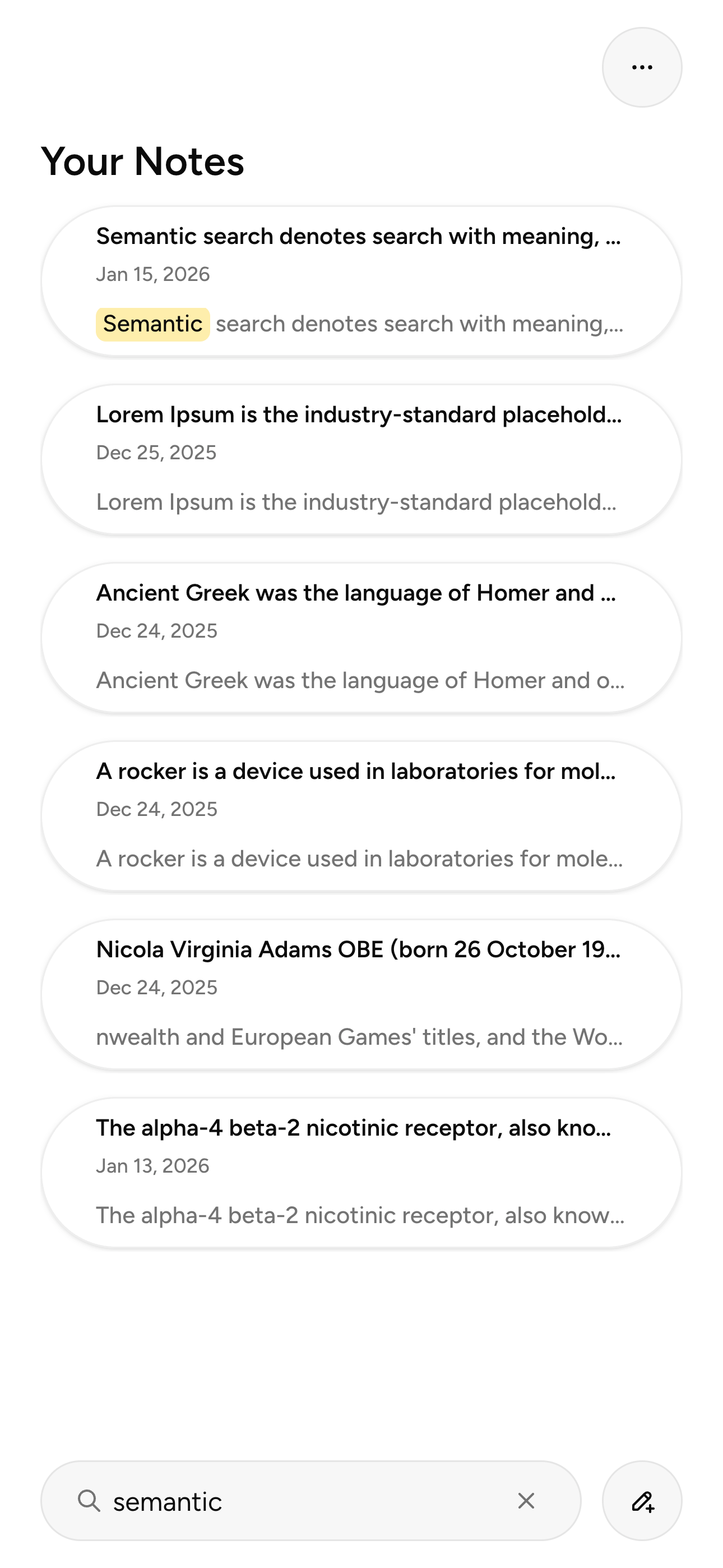
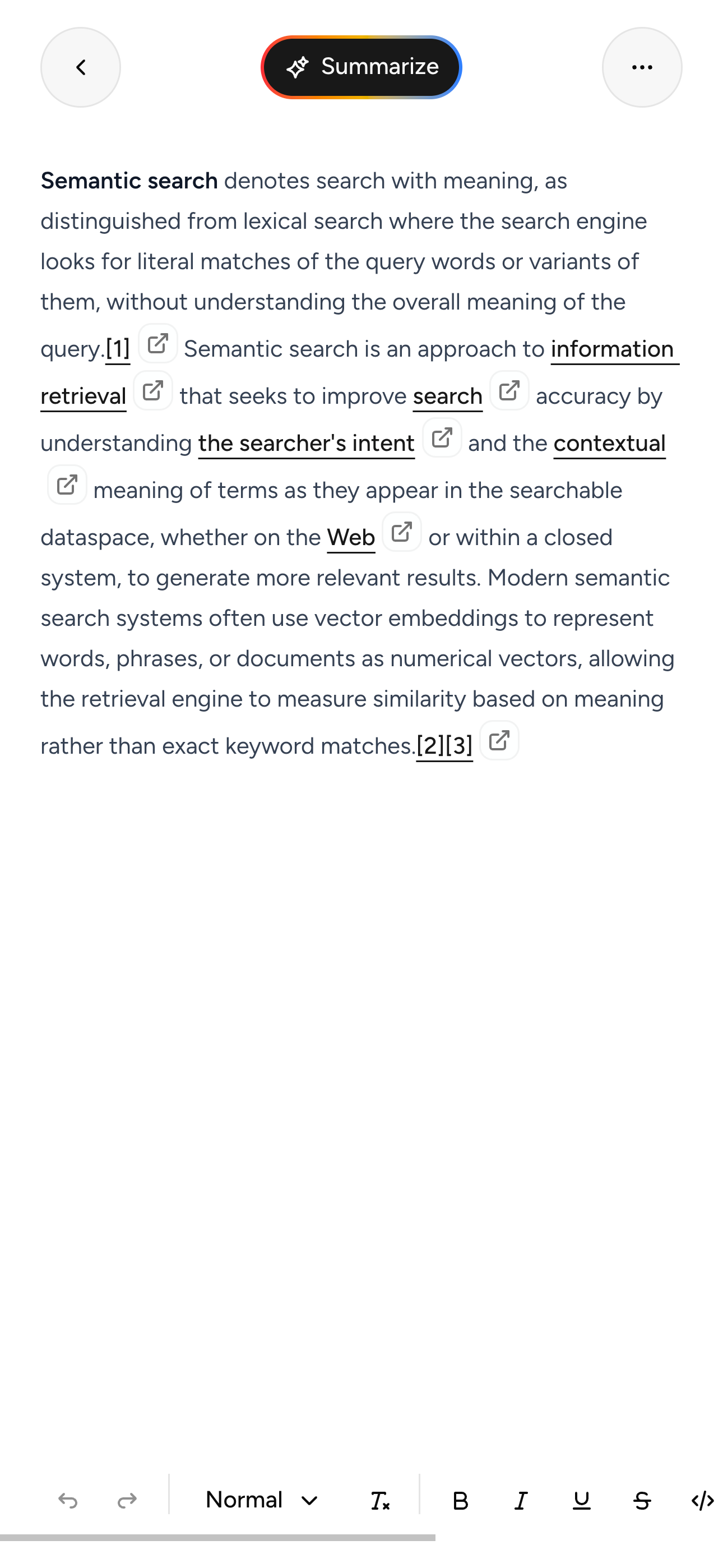
Local-first
“Local-first” gets used interchangeably with “offline-first”, but I treat them as slightly different ideas.
- Local-first: the device is the source of truth. The app is useful with no backend at all. There might be a server for sync or backups, but it’s not required for core functionality.
- Offline-first: the app works offline, but it's designed around a backend that syncs data when the network is available. The server is the main authority.
Mnemos is local-first in the strict sense:
- Notes are stored in IndexedDB. There is no account system, no background sync, and nothing to “log into” (yet!)
- Derived data (chunks + embeddings) is computed locally and stored locally, so semantic search still works with the network off.
- Server-side AI exists as an explicit opt-in fallback, not as the default compute path.
This changes a bunch of engineering decisions:
- I have to be careful with CPU/GPU usage because there’s no server to offload work to.
- I need deterministic indexing so I can incrementally update embeddings instead of rebuilding everything.
- Failure modes need to be user-facing and recoverable (ex: local inference fails on a device → offer a transparent fallback).
- Since we're using on-device AI, the user has to download models directly to their device, some of which might be large. This needs to be communicated clearly in the UI and managed carefully so that the offline experience remains smooth, even while the models have not yet been downloaded.
Stack
- Next.js 16 (App Router) + TypeScript
- React 19 (including the new built-in
ViewTransitionAPI via Next’s experimental flag) - Tailwind CSS 4 (CSS-first config, design tokens via custom properties)
- IndexedDB via Dexie
- Web Workers + Comlink for model inference and chunking
@huggingface/transformers(akatransformers.js) for on-device inference- Serwist for the Service Worker (offline caching + navigation fallback)
next-intlfor i18n (English + Portuguese BR so far)
The AI setup
I could have started with a RAG chatbot, but those are everywhere right now, and it wasn’t what I wanted to tackle first. A local-only “chat with your notes” feature is still interesting (and Phi‑3.5 runs fine in the browser), but for this project I prioritized two AI features: offline semantic search and summarization. This is still something I will do in a future update, but I wanted to get the core local-first architecture right first.
To implement those features, I needed two types of model pipelines:
- Feature Extraction (embeddings): take some text as input and produce vectors using natural language processing so we can do semantic search.
- Text Generation: take some text as input and produce new text (in this case, summaries).
They have very different performance profiles.
Embeddings are comparatively cheap and predictable. They also benefit massively from running locally because you can do them incrementally and keep the whole search index private.
Generation is heavier and more sensitive to device constraints. For Mnemos, I intentionally kept the generation host configurable: it supports both local inference and a server fallback depending on the user’s settings.
What “on-device model” means in a browser
When Mnemos runs a model “on-device”, nothing magical is happening: it’s still just code running inside the browser sandbox.
The short version is:
- Models ship as a bundle of files (config, tokenizer, weights).
transformers.jsdownloads those files (usually from Hugging Face), caches them, and then runs inference using a backend.- The backend is either:
- WASM: slower, but works almost everywhere.
- WebGPU: fast when available, and the only way local models feel “snappy” on modern laptops.
I made this explicit in the worker setup:
src/workers/embedding.worker.ts
1super(modelId, "feature-extraction", {
2  device: "gpu" in navigator ? "webgpu" : "wasm",
3  dtype: "fp32",
4});
For embeddings, I am using the "Supabase/gte-small" model and I stick to fp32. It works fairly well. It’s not the most aggressive optimization, but it keeps the output stable and reduces “why did search results change?” moments. This is also the same model I use for server-side embeddings (through the Hugging Face Inference API), so the results are consistent regardless of where they run.
For summarization, I had to make a choice. There are models built specifically for summarization pipelines that run fine locally, such as "distilbart-cnn-12-6", but the summaries they produce tend to be… okay. Not great. They work great for news articles, but personal notes are a different beast. I decided to use a general-purpose text generation model instead ("Phi-3.5-mini-instruct-onnx-web"), which gives better results with the right prompt. It's a model optimized for on-device use, and I quantize it to q4f16 to make it faster and lighter:
src/workers/summarization.worker.ts
1super(modelId, "text-generation", {
2  device: "gpu" in navigator ? "webgpu" : "wasm",
3  dtype: "q4f16",
4});
Quantization is basically trading some numerical precision for speed and memory. For summaries, that trade is usually fine. When we fallback to server-side summarization, the app uses the same prompt template to keep outputs consistent, I just use a different model under the hood ("Qwen/Qwen3-30B-A3B-Instruct-2507") since that is more widely available through the Hugging Face Inference API.
Keeping the UI responsive: workers + Comlink
Even a “small” model will happily freeze your UI thread if you run it in the wrong place.
So Mnemos treats inference as a background service:
- A Web Worker owns the model pipeline.
- The UI talks to it over Comlink (an abstraction which enables RPC-ish calls instead of manual
postMessageplumbing).
The hook that wires this up is intentionally tiny:
src/hooks/use-comlink-worker.ts
1const worker = createWorker();
2const proxy = Comlink.wrap<T>(worker);
3
4return { worker, proxy };
On unmount, it releases the proxy and terminates the worker, so there are no leaked resources.
First-run model downloads: progress you can actually show
Models are large files. Even a small model can be multiple megabytes, and that’s before quantization. Even if the files are being downloaded in the background, the user should know what’s happening.
transformers.js exposes a progress_callback, so I wrapped it into a small service that:
- initializes the pipeline once
- tracks download state per file
- exposes a subscription API so the UI can show progress
src/lib/hf-model-worker-service.ts
1progress_callback: (progress) => {
2  // initiate / download / progress / done / ready
3  this.modelDownloadState = { ... };
4  this.notifySubscribers();
5},
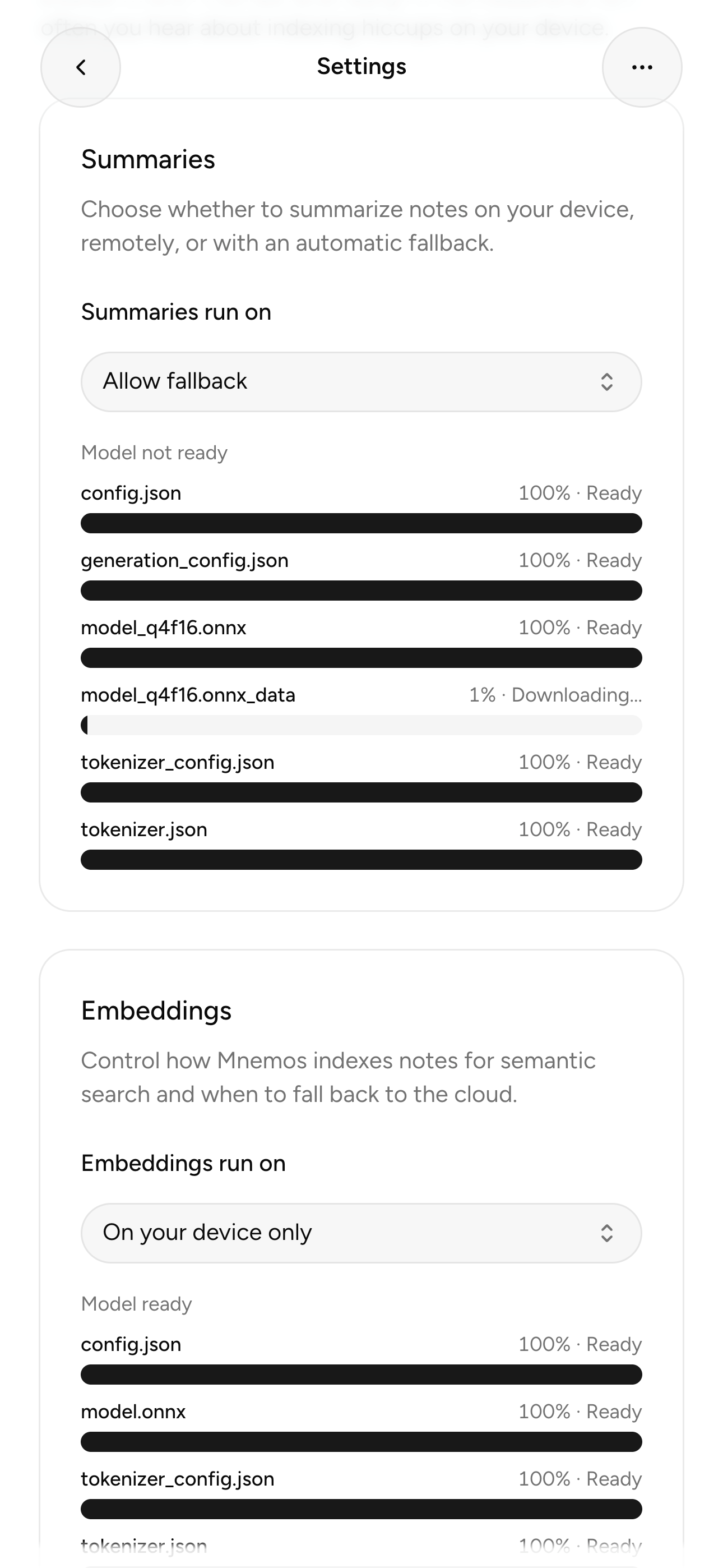
Then the providers (EmbedderProvider, SummarizerProvider) subscribe and keep modelDownloadState in React state.
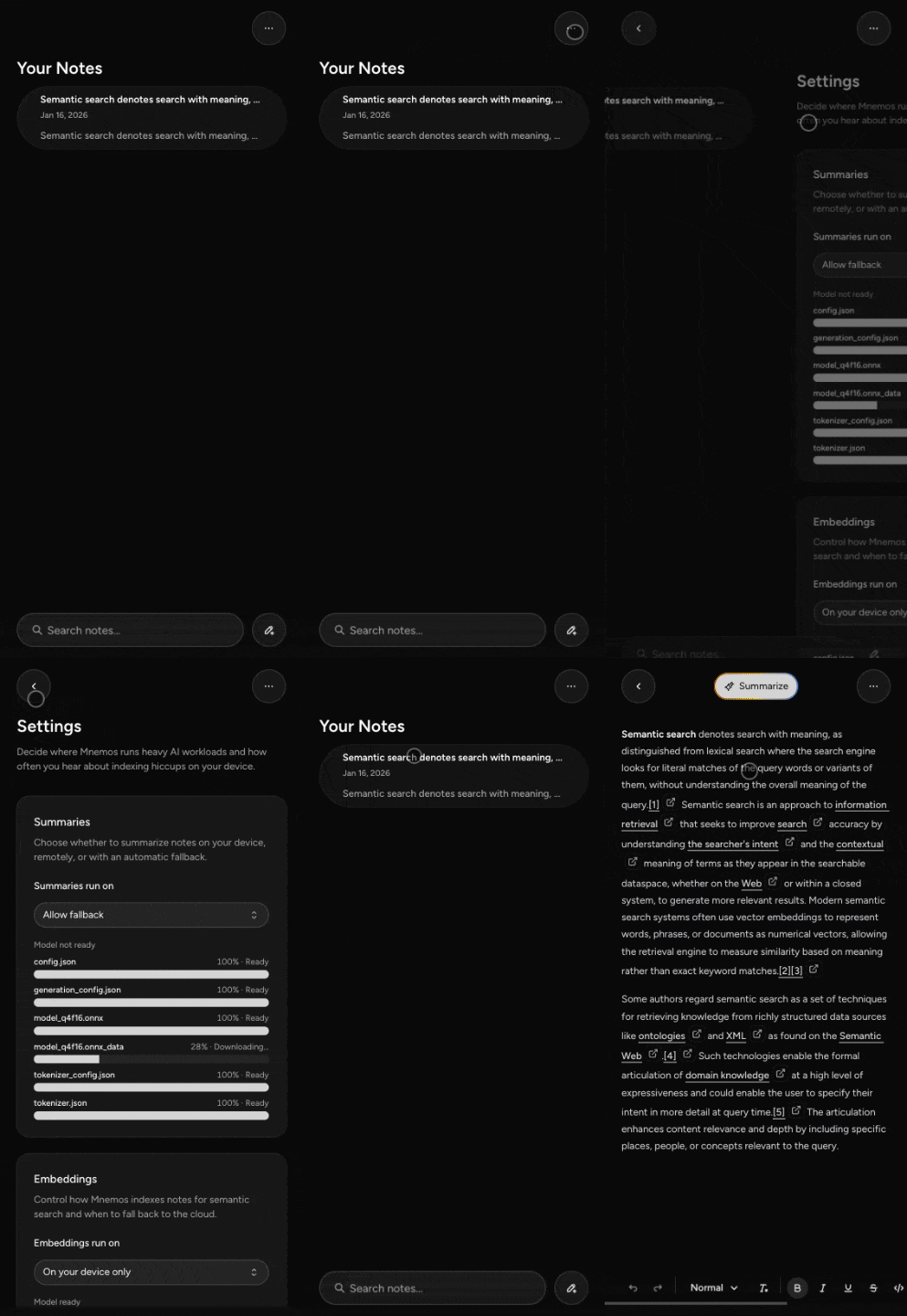
You can see the current progress of each file in the settings UI:
The core idea behind offline semantic search
Semantic search is just vector math.
- Each note is split into chunks.
- Each chunk becomes a vector embedding.
- A search query also becomes a vector.
- Matching is “which chunk vectors are closest to the query vector?”
Mnemos computes embeddings with pooling + normalization:
src/workers/embedding.worker.ts
1const tensor = await extractor(item.text, {
2  pooling: "mean",
3  normalize: true,
4});
With normalized vectors, the dot product is effectively cosine similarity, so the scoring in the client becomes very cheap:
src/hooks/use-semantic-search.ts
1const score = dotProduct(queryVector, chunkVector);Chunking: deterministic, markdown-aware, and incremental
Chunking is where most of the quality (and performance) comes from.
Most “RAG chunking” examples treat your text like a big blob. Notes aren’t like that: they have headings, lists, code blocks, and structure you don’t want to shred.
So Mnemos does chunking in a worker too:
src/workers/chunking.worker.ts
- parse the note into Markdown blocks (
getMarkdownBlocks) - merge blocks into target-sized chunks (
mergeBlocksIntoChunks) - hash both the full content and each chunk (
sha256) - build stable chunk IDs:
${noteId}:${hashPrefix}
1const chunkHash = await sha256(chunk);
2const chunkId = `${request.noteId}:${chunkHash.slice(0, 12)}`;
That chunk ID design is deliberate:
- If a chunk’s text didn’t change, it keeps the same ID.
- If a chunk changes, it gets a new ID.
This makes incremental updates cheap: you don’t have to re-embed the whole note every time.
IndexedDB schema: treating the browser like a tiny database
Everything lives in IndexedDB via Dexie.
src/client-data/db.ts
notesfor the raw note contentchunksfor derived chunk textembeddingsfor vectors (keyed by[chunkId+modelId])noteHashesto track what’s already indexed/embedded
The embedding pipeline checks hashes to skip work:
src/providers/embedder-provider.tsx
- if
lastIndexedHashmatches, chunking is up to date - if
lastEmbeddedHash+lastEmbeddingModelIdmatch, embeddings are up to date
This is the difference between “semantic search is a demo” and “semantic search is something you can leave enabled all day”.
Avoiding wasted work: versioning + cancellation
Another browser reality: users type, delete, switch pages, and background timers get weird.
Both workers support a simple cancellation model.
For chunk embeddings, the request includes a note version. If a newer version comes in, the worker returns null and the caller just drops it.
src/workers/embedding.worker.ts
1if (this.latestByNote.get(request.noteId) !== request.version) {
2  return null;
3}
The query path does the same, so fast typing doesn’t queue up ten useless embedding calls.
Fallbacks: local-first doesn’t mean local-only
I don’t want Mnemos to be “works great on my laptop”.
So the app has explicit settings for where embeddings and summaries run:
- local only
- server only (summaries)
- allow fallback
Embeddings have a server fallback implemented as a Next.js server action that calls the Hugging Face Inference API:
src/server-actions/embed.ts
It also normalizes outputs into a stable vector regardless of whether the API returns token embeddings or pooled embeddings.
When local embedding fails, Mnemos records the error locally (localEmbeddingErrors) and shows a toast that explains what happened and how to enable fallback.
That “explicit AI usage” rule matters here: it’s the difference between “my notes are private” and “my notes are private… unless my laptop is having a bad day.”
Local summarization: small model, strict prompt hygiene
Summarization runs locally (when enabled) using a text-generation pipeline.
There’s an extra wrinkle: notes are untrusted input. Even if this is “just my own notes”, treating that content as untrusted is a good habit.
So the worker wraps note text in randomized tags and instructs the model to treat everything inside as literal text to summarize.
src/workers/summarization.worker.ts
That doesn’t make prompt injection impossible, but it does stop the easy failure mode where your note contains something like “ignore previous instructions”.
If local generation is slow (or unavailable) and fallback is allowed, the summarizer provider races local vs server with a timeout:
src/providers/summarizer-provider.tsx
1return serverIsReady
2  ? await withTimeout(localPromise, fallbackTimeoutMs)
3  : await localPromise;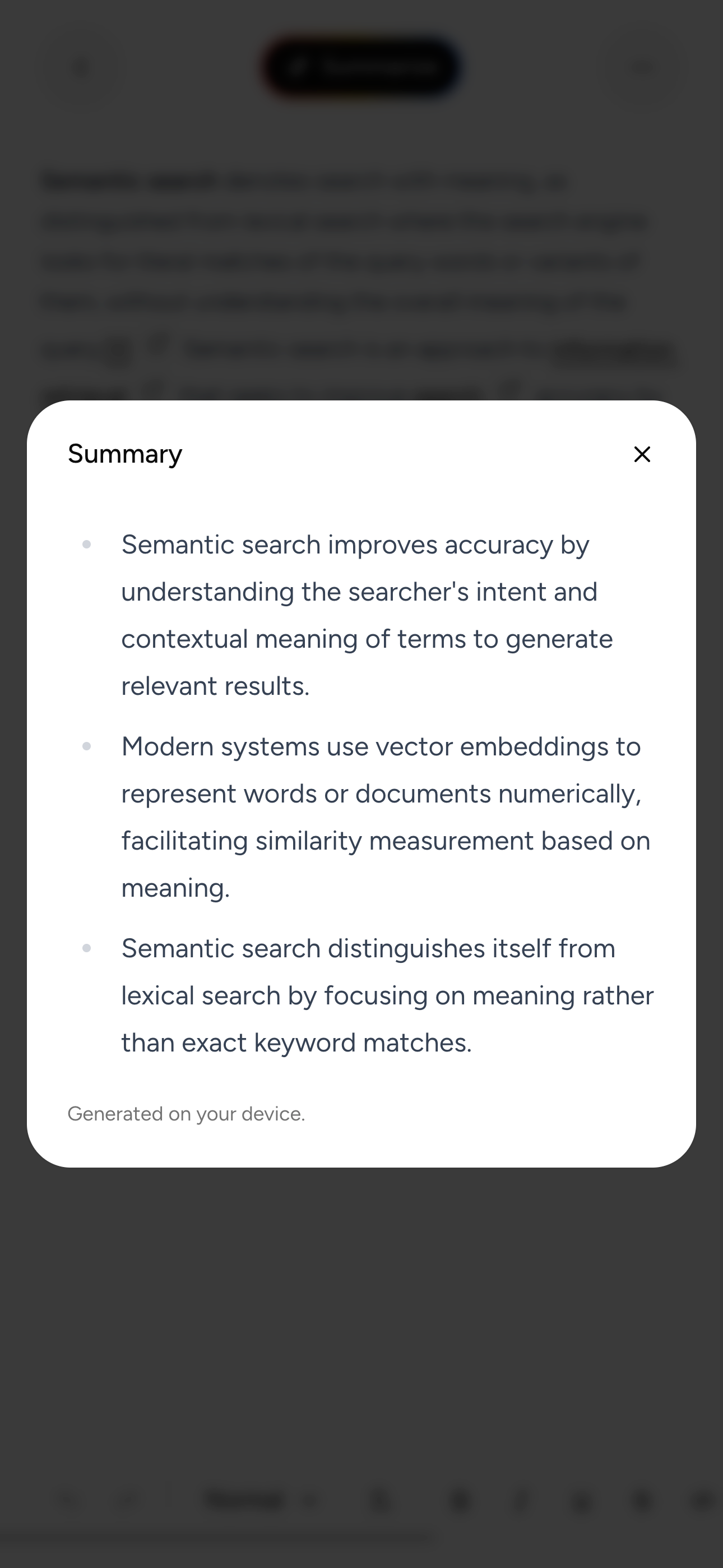
Offline: the PWA side of the story
A “local-first” app that breaks offline isn’t local-first.
Mnemos uses Serwist for the service worker:
src/app/sw.ts
- precaches build assets
- enables navigation preload
- serves a fallback route (
/~offline) for document navigations
That means the app shell loads even when the network doesn’t.
The offline behavior is intentional:
- notes and semantic search still work
- server-only features are disabled
- local summaries still work if the model is available
Modern CSS + UI primitives I leaned on
I also used this project to lean on modern platform features that reduce JS work and make the UI feel more native.
View Transitions (real transitions, not div gymnastics)
Next.js 16 supports the View Transitions API behind an experimental flag:
next.config.ts
1experimental: {
2  viewTransition: true,
3},
I use ViewTransition in the UI and style it with custom transition classes in CSS.
This makes the app feel native without a ton of JS overhead.
Scroll-driven animations
The header animation is powered by scroll timelines:
src/app/[locale]/globals.css
1animation-timeline: scroll(root);
2animation-range: var(--start) var(--end);
No scroll listeners, no rAF loops, no layout thrash.
“Small” things that add up
- Tiptap rich text editor for highly customizable markdown based notes
scrollbar-gutter: stable both-edges;prevents layout jumps when scrollbars appear- safe-area padding with
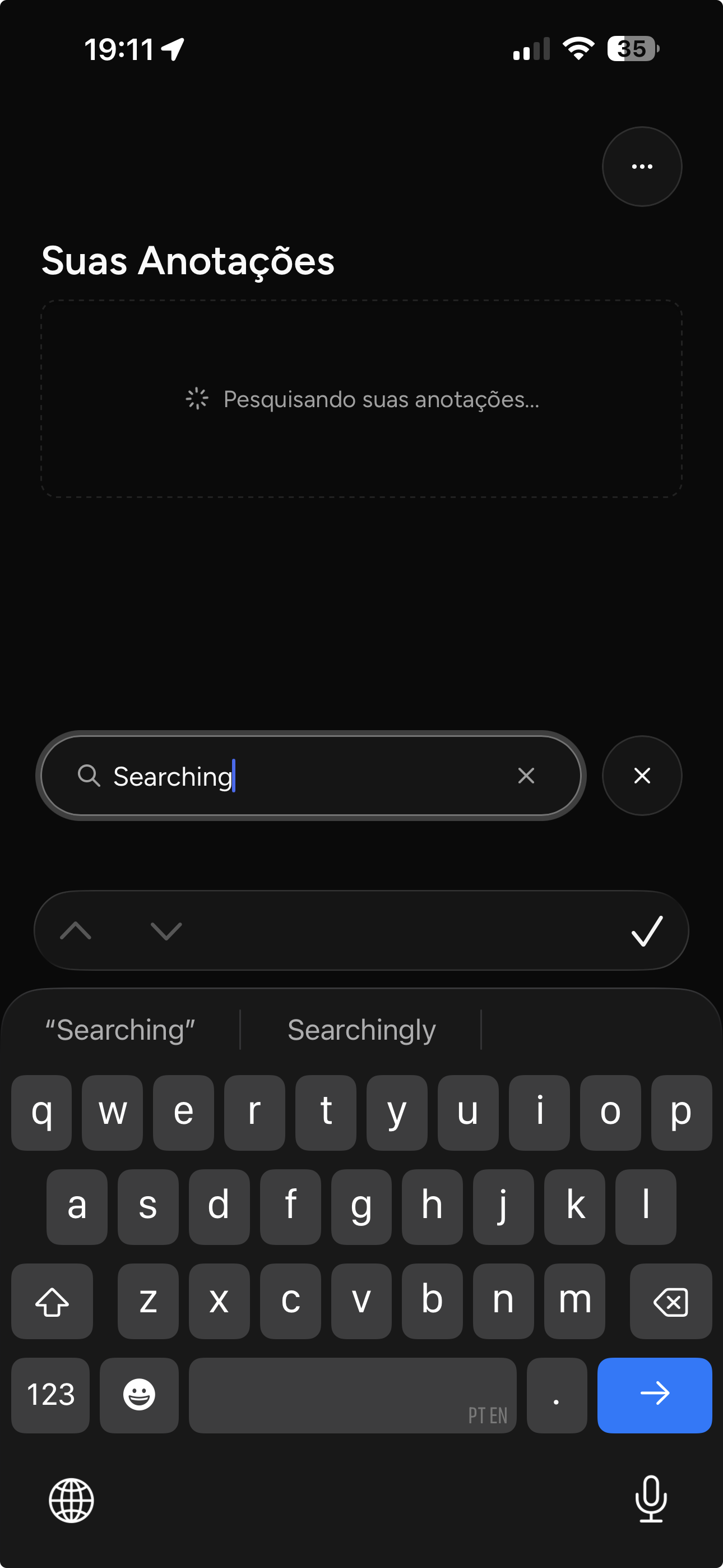
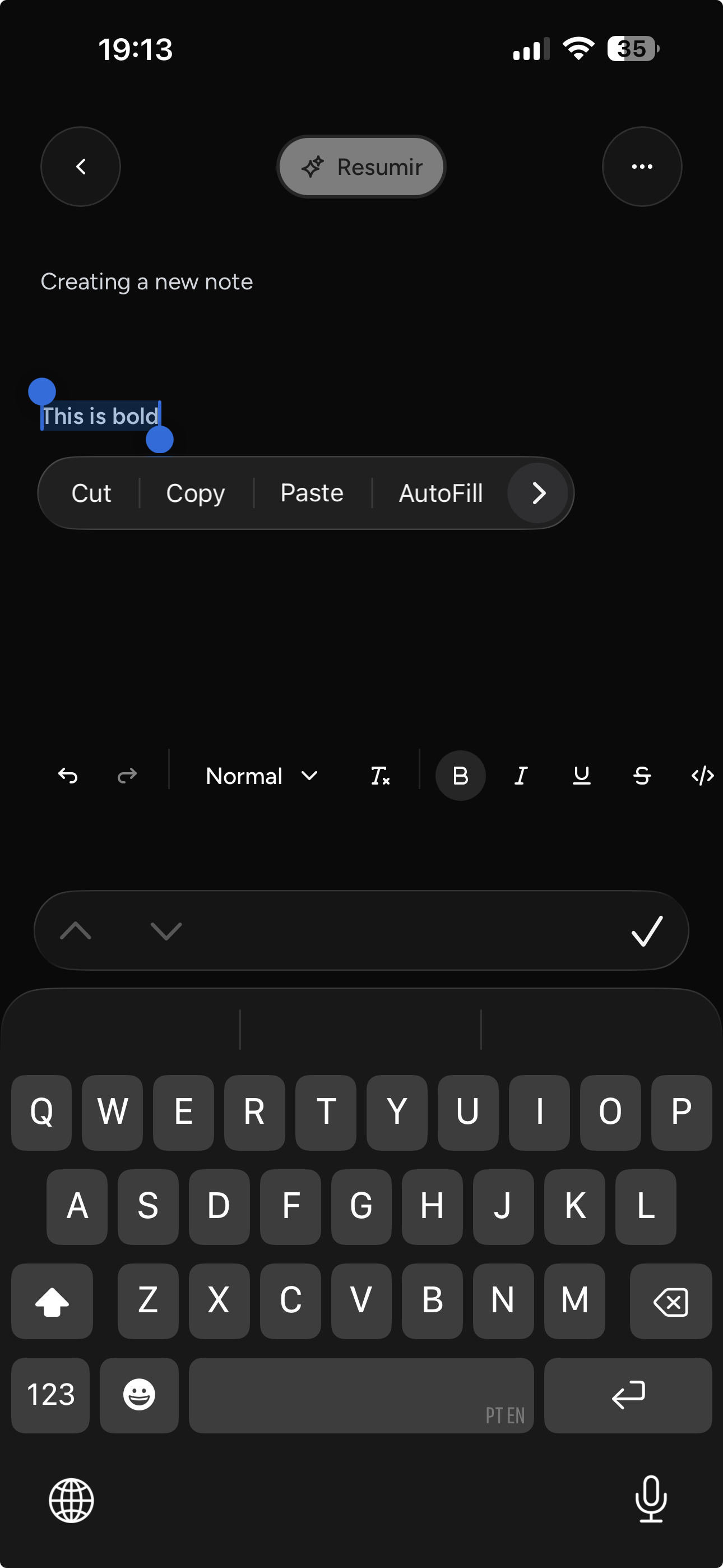
env(safe-area-inset-*)for iOS content-visibility: autoon note list items to keep long lists fastuseDeferredValueto keep search filtering from fighting typingVisualViewportBottomAnchorto keep the input visible when the keyboard is open on mobile using the Visual Viewport API (iOS Safari is the worst about this)
Closing thoughts
Building Mnemos reinforced a few opinions I already had:
- On-device embeddings are the sweet spot for privacy + utility.
- Workers are non-negotiable if you want local inference without wrecking UX.
- The “modern web platform” has quietly grown a lot of the primitives we used to fake.
If you’re building anything local-first with semantic search, I’d start exactly where Mnemos starts: deterministic chunking, stable IDs, and embeddings computed off the main thread. Everything else layers on top.
I plan on updating Mnemos over time with more features (RAG chat, sync, more AI features), but the core local-first architecture feels solid. I'll publish it to app stores (using PWA Builder) once I iron out a few more rough edges.